building and deploying an AI agent to troubleshoot k8s cluster
1. prototype vs production
Day-1: The prototype
- we can simply create a k8s-agent by using a coding agent and connecting it with a k8s mcp server and it can help us on day-1 with simple troubleshooting tasks but the real problem arises when we try to deploy this agent into production
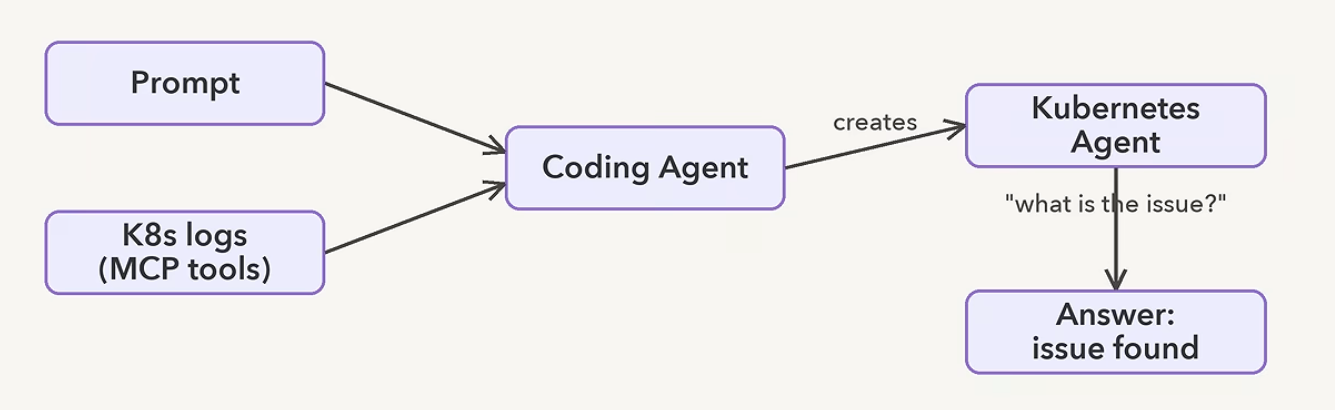
Challenges:
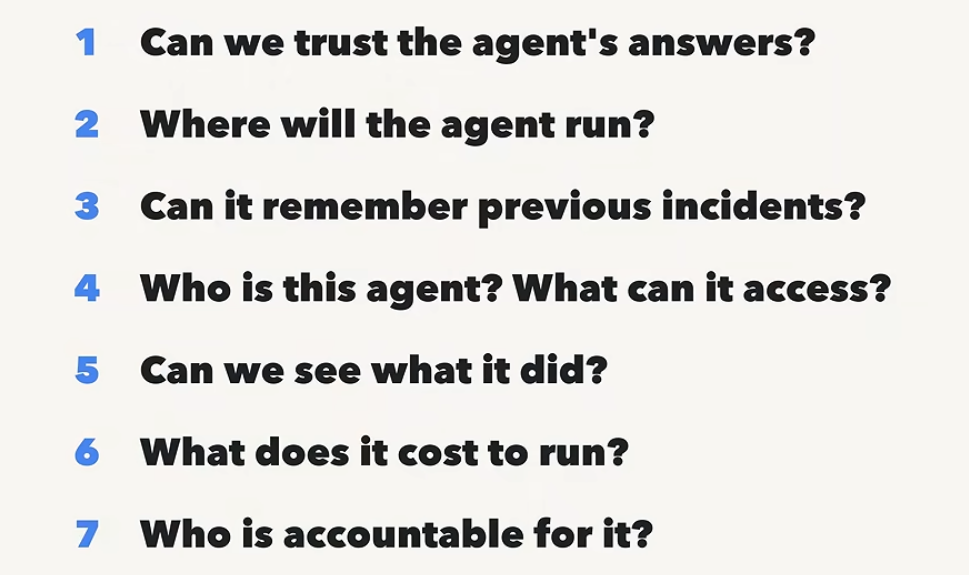
we can simply create an agent using langchain, langgraph, MCP etc but is it safe to deploy it into production? No because prototype != production
- trust → can we really trust it in production? We are going to use a feature called Agent Evaluation to tackle this!
- runtime → what if we need to scale the agent to multiple users, handle multiple incidents and restart the agent when it crashes? We will be using Agent Runtime to tackle this!
- memory → how can the agent remember the previous issues? we use Memory Bank
- identity → how do we handle the access rights of the agent? Agent Identity + SPIFFY
- observability and cost → how to track the actions of the agent? Google cloud cost + Model garden feat
2. Building the agent using Gemini Agent Development Kit
We are going to build an AI agent to troubleshoot a k8s cluster which is a very tedious process for a devops engineer so that this process can be automated easily and we are going to build it using Gemini ADK! Why?
- we want to have a complex agent that can have context management, session management, model selection, MCP integration etc
- writing all of this will take a lot of time so we can use Gemini ADK and build this agent using simple natural language prompts using Agent CLI without writing any code!
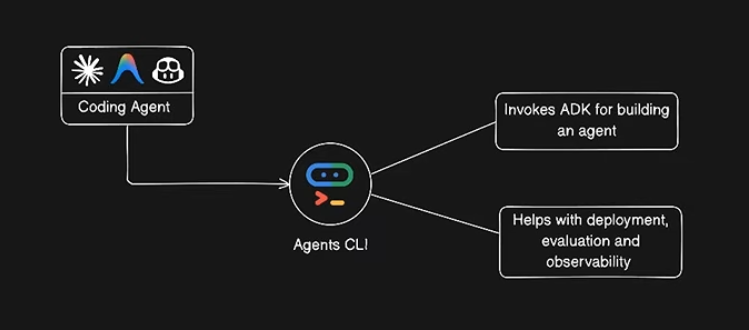
- Agent CLI has a bunch of skills that can help build several features for our Agent
Step-1: configuring application default credentials https://docs.cloud.google.com/gemini-enterprise-agent-platform/models/start/gcp-auth
follow the simple steps in the above blog to configure application default credentials and then paste this command in your terminal and continue (this will call gemini api directly from your terminal to ensure the connection is successful):
bash <(curl -sSL https://storage.googleapis.com/cloud-samples-data/adc/setup_adc.sh)
Step-2: choosing a coding agent
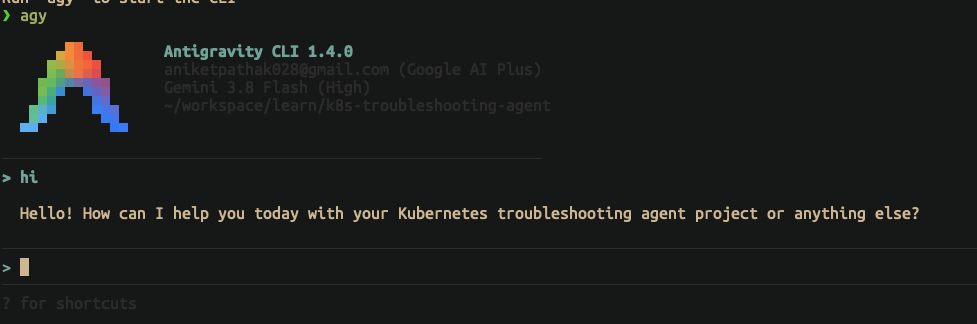
for this project we choose google’s antigravity - https://antigravity.google/download
curl -fsSL https://antigravity.google/cli/install.sh | bashinstall antigravity cli and run “agy” to start it
Step-3: setting up Agent cli
we use google agent-cli for this - https://google.github.io/agents-cli/
uvx google-agents-cli setupso following these steps we configured gemini adk, set up a coding agent and also an agent cli
The main difference between the Coding Agent and the Agent CLI is that the coding agent writes the code as instructed using prompts while the agent cli has the skills prepackaged that can be used by the coding agent to interact with Google’s ADK
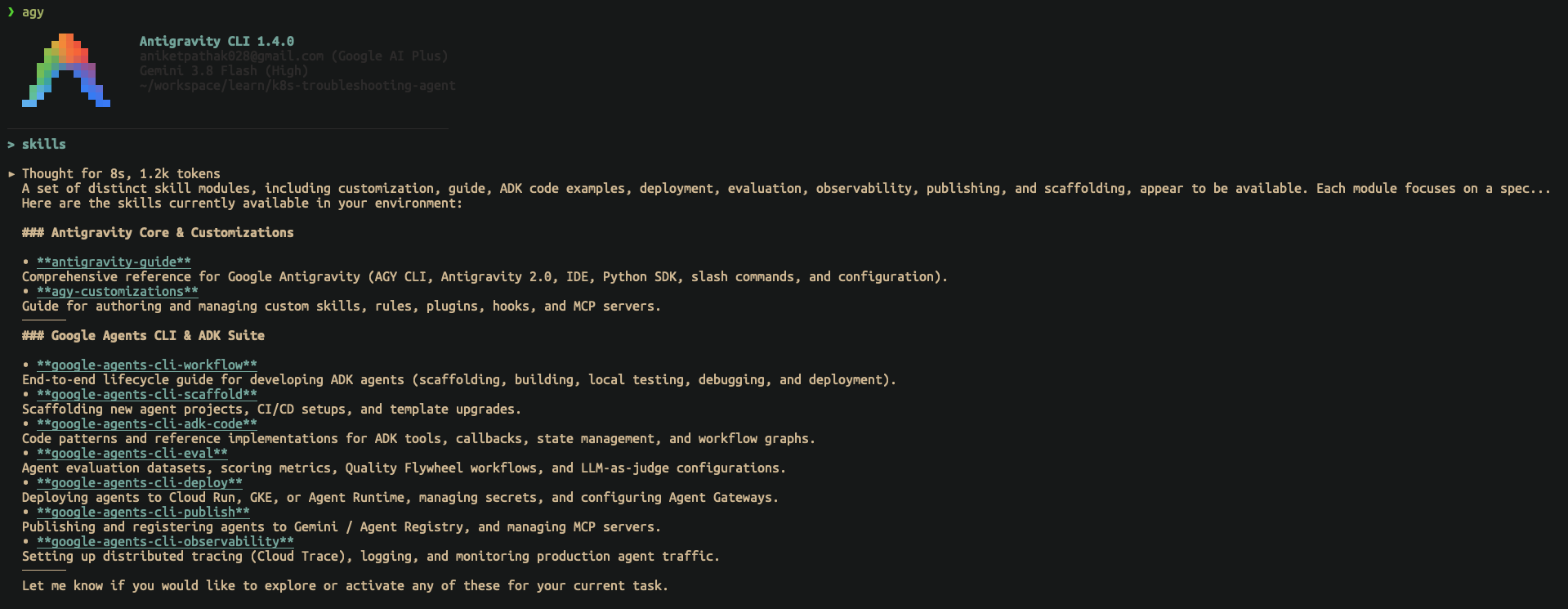
These are the 7 skills present in the Agent CLI:
- workflow, scaffold, adk-code, eval, deploy, publish and observability
Now let’s prompt the agent to build our k8s agent with the following prompt:
“Build a simple Kubernetes investigation agent in python that takes logs as input to perform investigation. Post investigation it should provide a detailed analysis with supporting evidences”
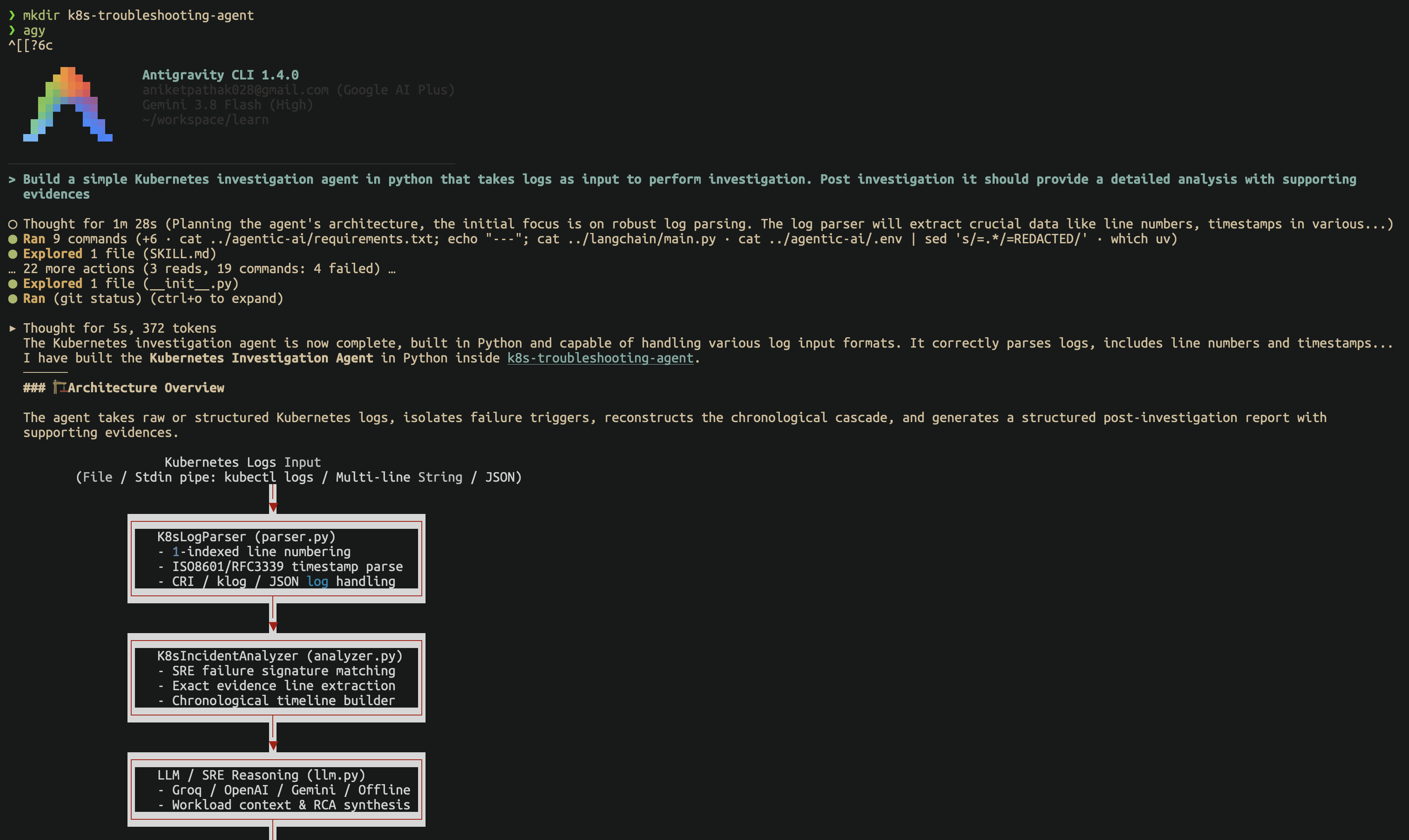
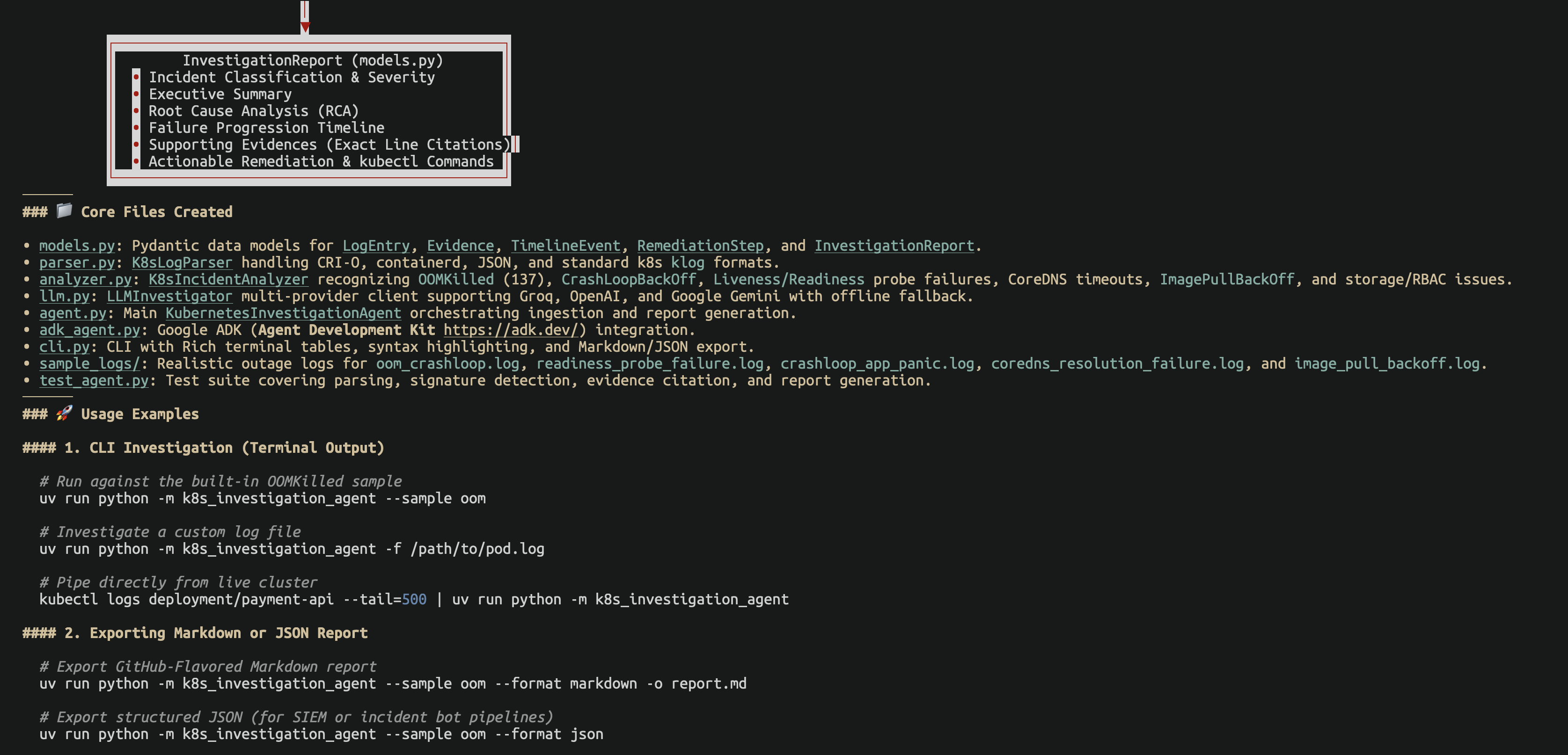
as we can see the agent was successfully build by our coding agent using the Gemini ADK skills so it can perform the following:
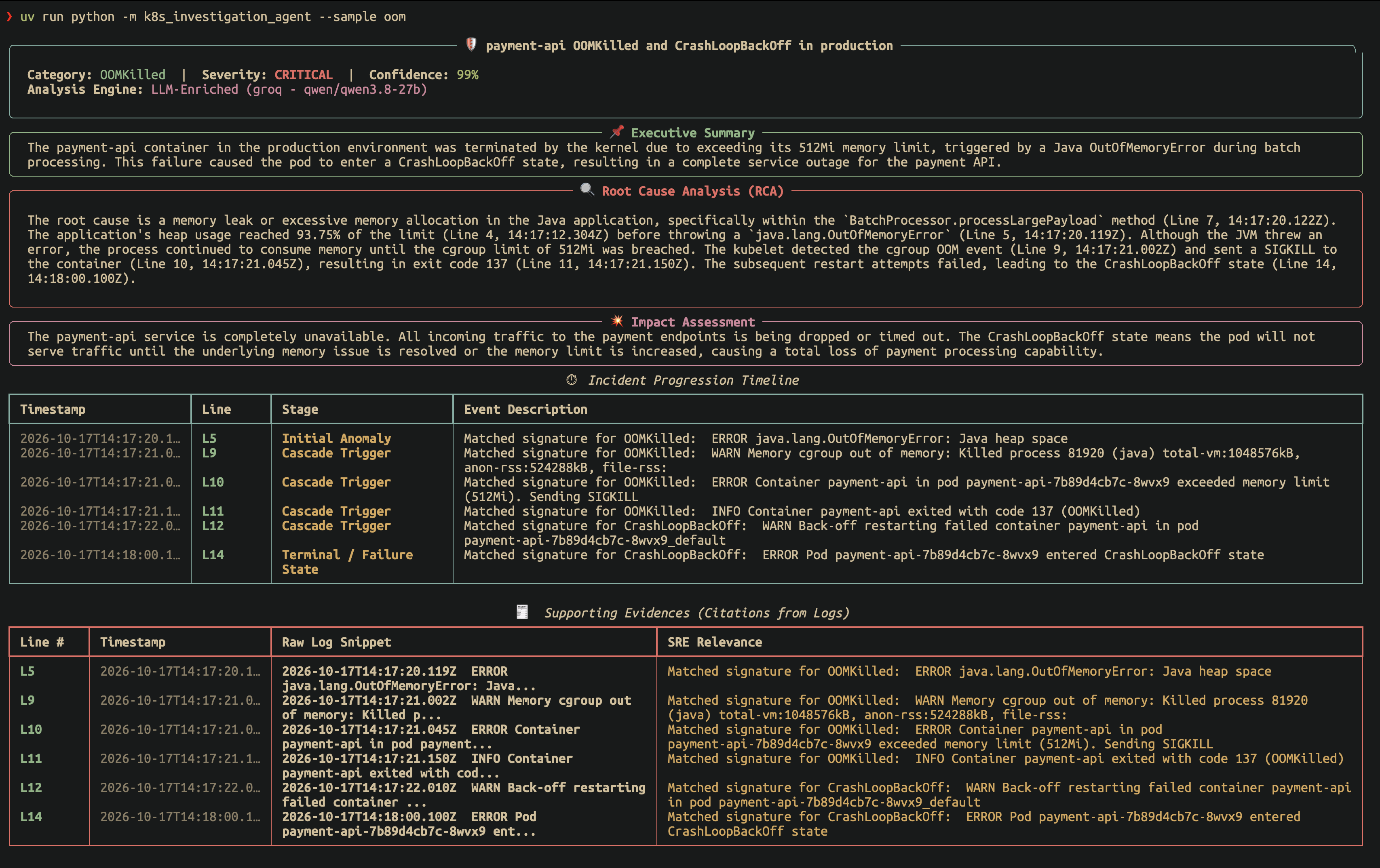
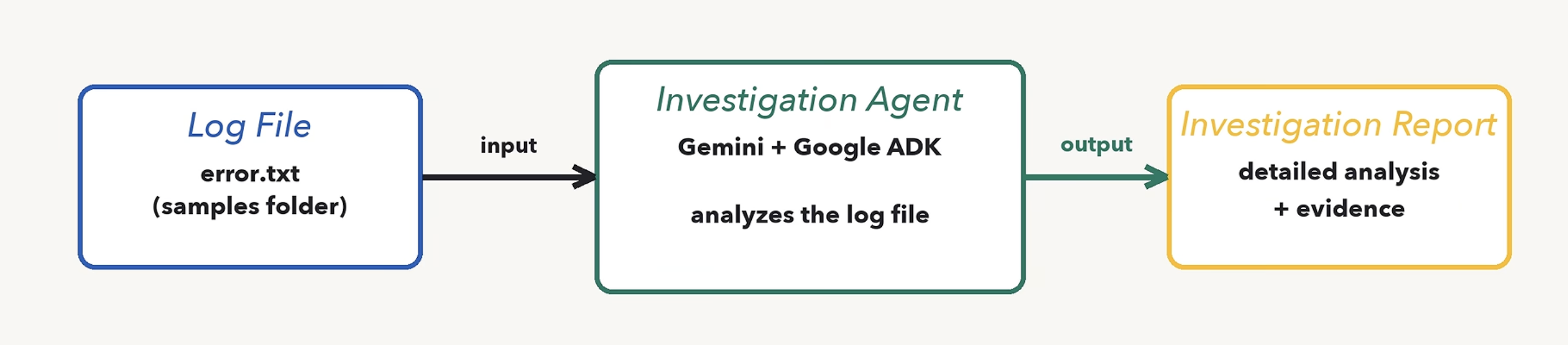
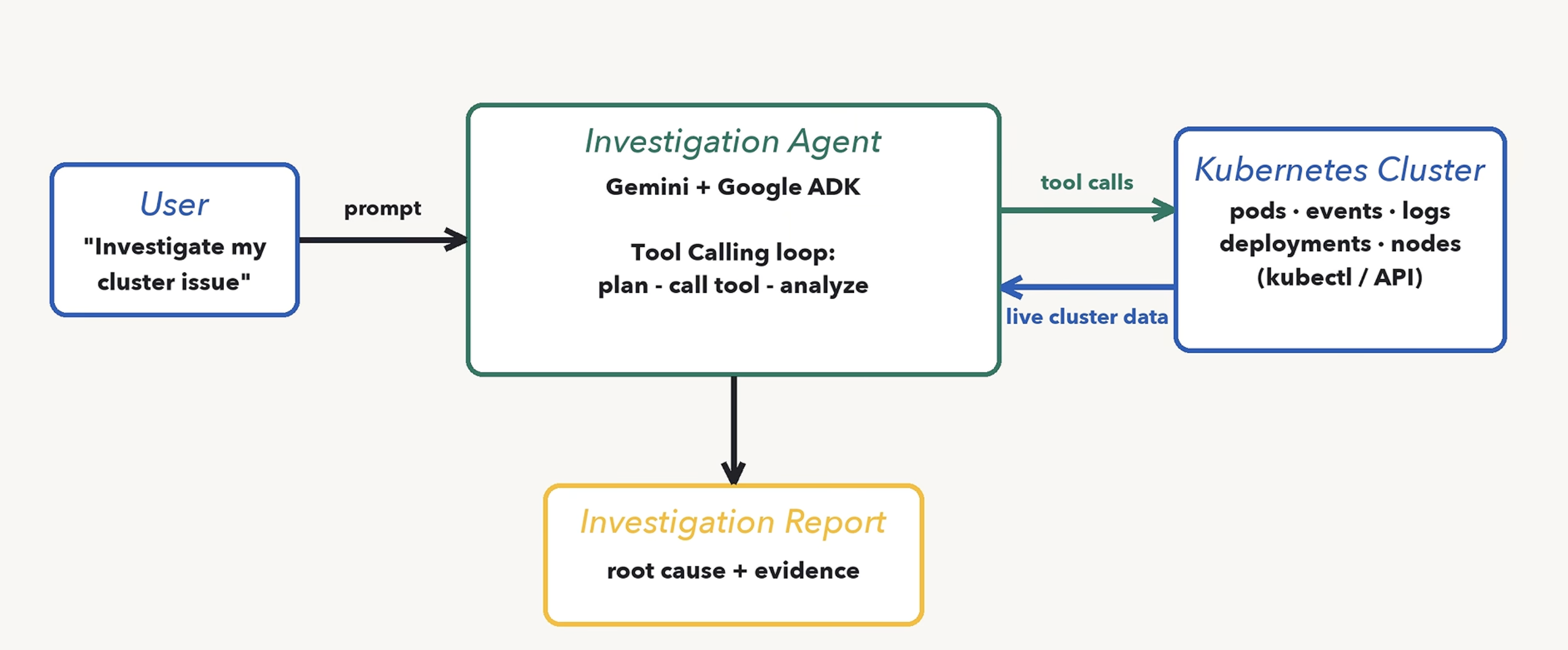
now let’s connect it to a real k8s production server so that it can do much more:
Links:
202610171137