what is a shell? 🐚 (my POV)
- a shell is a command-line interpreter (think of it as a language to speak to the os, technically the kernel)
- it provides a user interface for accessing the operating system’s services using commands.
- It’s essentially the program you interact with when you type commands in your terminal, the terminal is another software that lets you run these shells!
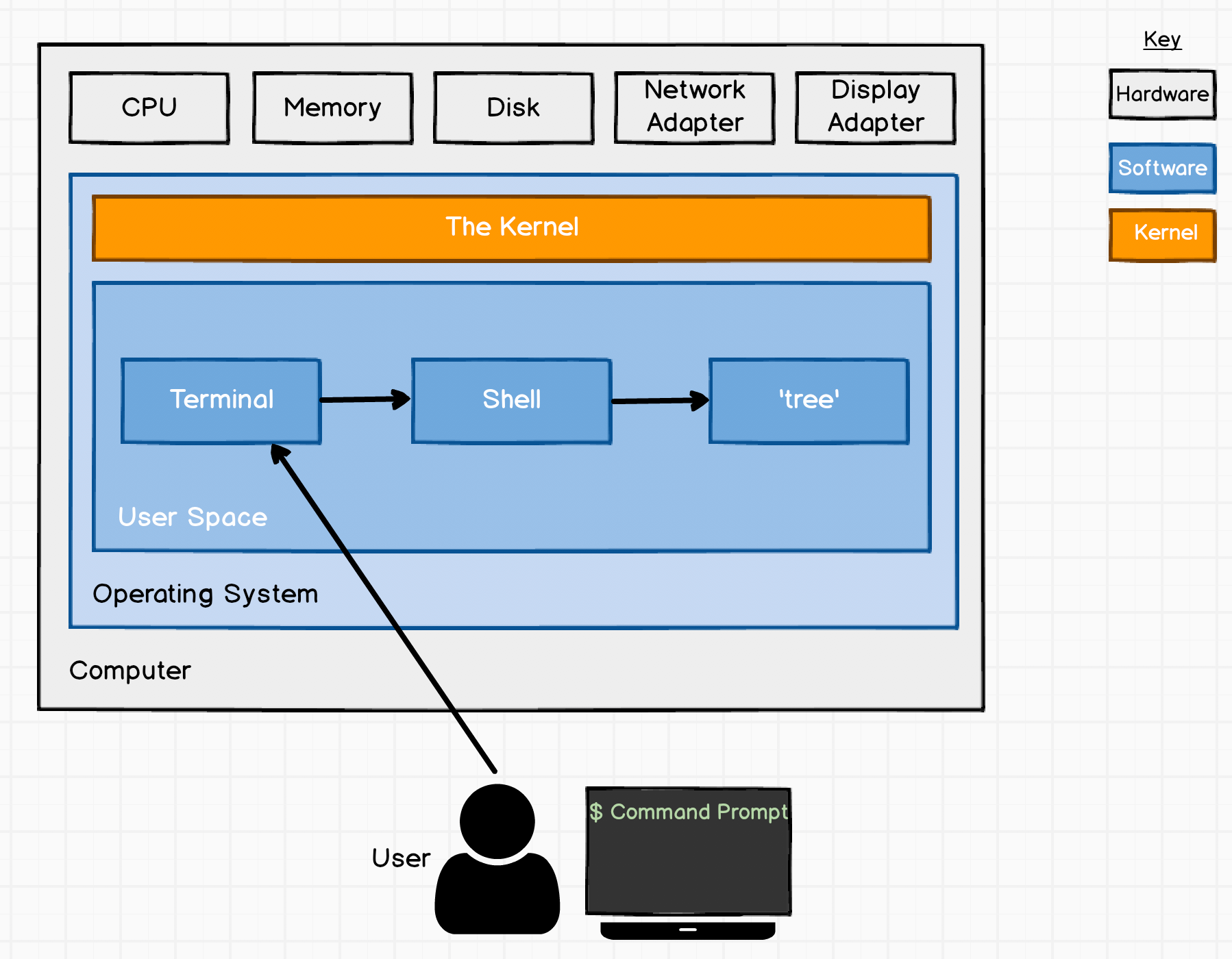
The key thing to note here is shell is the interpreter/way to talk to the OS but the terminal is just an emulator which can run on any of the shells! ex - iterm, terminal, pwsh, alacritty, wezterm etc
Flavors of shell!
- Bash (Bourne-Again SHell):
- enhanced version of the original Bourne Shell (sh) which was developed by the GNU Project.
- historically been the default shell on most Linux distributions and was the default on macOS until Catalina.
- offers command-line editing, command history, job control, shell functions, aliases, and more. It’s very widely used and has a vast amount of online resources.
- Zsh (Z Shell):
- extended Bourne shell with a lot of new features. It’s often seen as a more modern and powerful alternative to Bash.
- became the default shell on macOS starting with Catalina (macOS 10.15).
- includes sophisticated tab completion (often with “oh-my-zsh”), powerful globbing (pathname expansion), better theme support, shared history across sessions, and advanced customization options. While it has more features, it’s generally Bash-compatible, meaning most Bash scripts will run in Zsh without modification.
- Sh (Bourne Shell):
- the original Unix shell.
- still exists, but often sh on Linux systems is a symlink to Bash or a minimal shell like Dash (Debian Almquist Shell), which is optimized for speed.
- very basic features compared to Bash or Zsh. It’s important for POSIX compliance.
- Fish (Friendly Interactive SHell):
- designed from the ground up to be user-friendly and interactive.
- not as common as Bash or Zsh, but gaining popularity for its out-of-the-box features.
- offers “autosuggestions” (based on history and man pages), syntax highlighting, and excellent tab completion without much configuration. It’s not POSIX compliant, so Bash scripts might not run directly without modification.
Links:
linux shell shell-script how to write a shell script?
202509222222