How to make k8s persist data?
Note:
- a container is ephemeral, ie. it doesn’t store any data/state, so once it is deleted, state/data of the container gets lost!
- so in order for a container to store data, it needs to have a volume or a disk mounted to it, which usually happens outside the container in volumes.
- the volume is just a piece of the file system where the container is hosted, ex- a piece of the local storage, or it can be provisioned in the cloud.
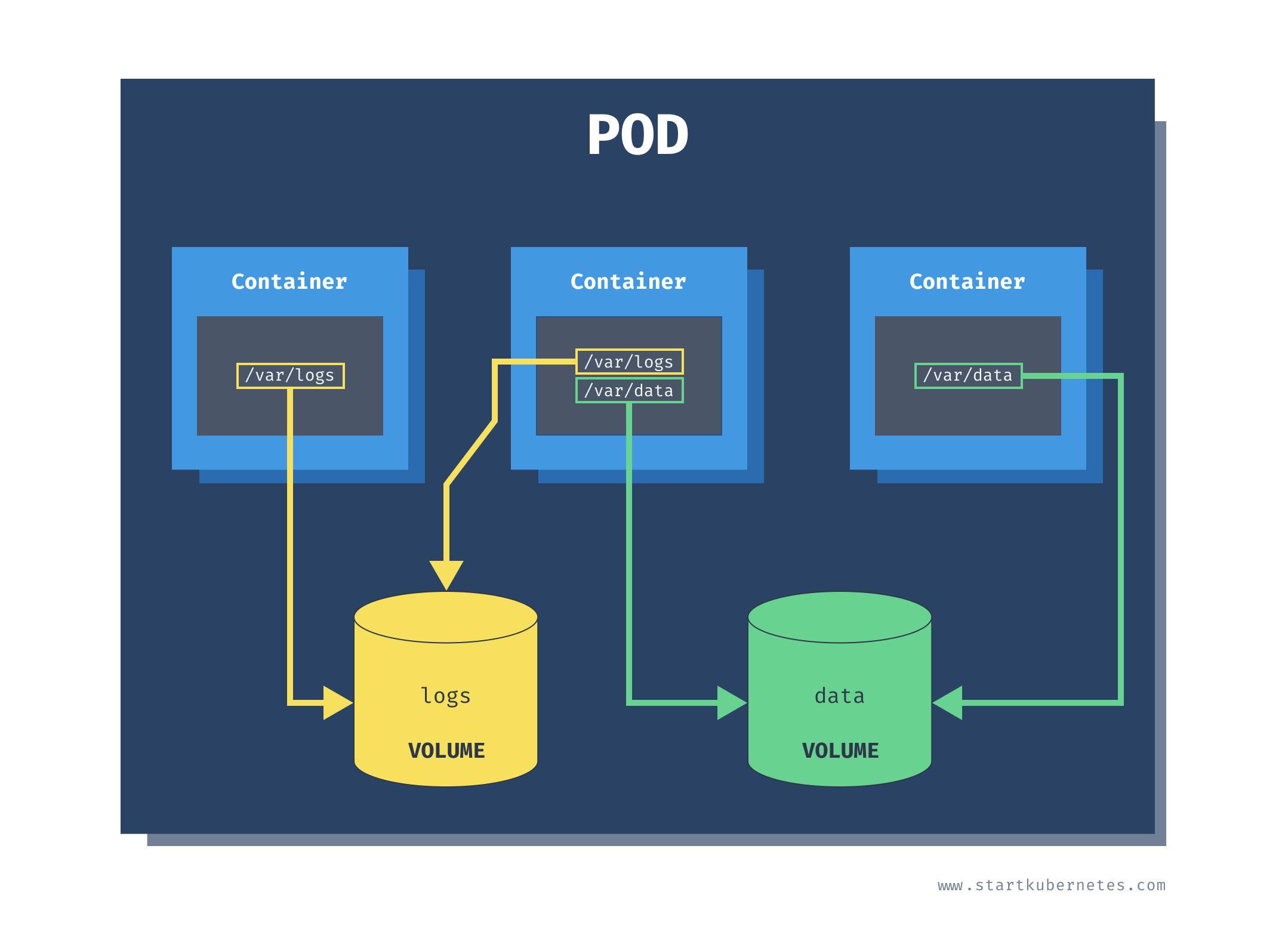
- consider a volume as an external disk connected to a container for storing data!
how to create a volume?
read https://kubernetes.io/docs/concepts/storage/volumes/
apiVersion: v1
kind: Pod
metadata:
  name: nginx-storage
spec:
  containers:
    - image: nginx
      name: nginx
      volumeMounts:
          - mountPath: /scratch
            name: scratch-volume
  volumes:
    - name: scratch-volume
      emptyDir:
        sizeLimit: 500Mi
- the volumes are at the pod level and not in the container level, which means they can be used by any container within the pod, sometimes also by pods present in different nodes!
- volumes can be pre created or dynamically created during the life cycle of the pod
- volumes are mostly used by containers to share and persist data among each other, and hence there are several types of volumes.
- note the type of the volume above is emptyDir, which is a type of volume which will be deleted when the pod is deleted and can be used as a temp storage in between containers
- the mountPath creates a dir inside the container to mount the volume
- the name of the volume indicates which volume to be mounted in the container from the pod
making containers access shared volumes
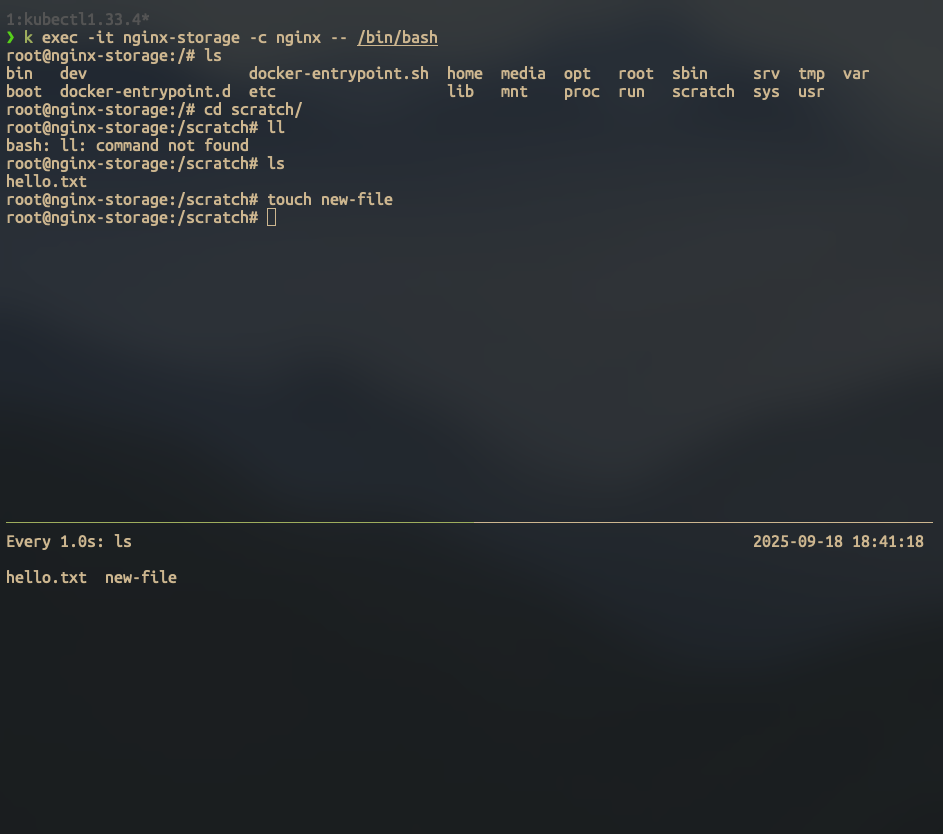
- here we have 2 containers both sharing the same emptyDir volume in the pod
- the busybox container is able to list and read the files created by the nginx container in the pod
- however once the pod is deleted, the emptyDir volume data is lost, this is why we need to learn about persistent volumes in k8s
apiVersion: v1
kind: Pod
metadata:
  name: nginx-storage
spec:
  containers:
    - image: nginx
      name: nginx
      volumeMounts:
          - mountPath: /scratch
            name: scratch-volume
    - image: busybox
      name: busybox
      command: ["/bin/sh", "-c"]
      args: ["sleep 1000"]
      volumeMounts:
          - mountPath: /scratch
            name: scratch-volume
  volumes:
    - name: scratch-volume
      emptyDir:
        sizeLimit: 500Mi
Links:
202509122352