terraform statefile
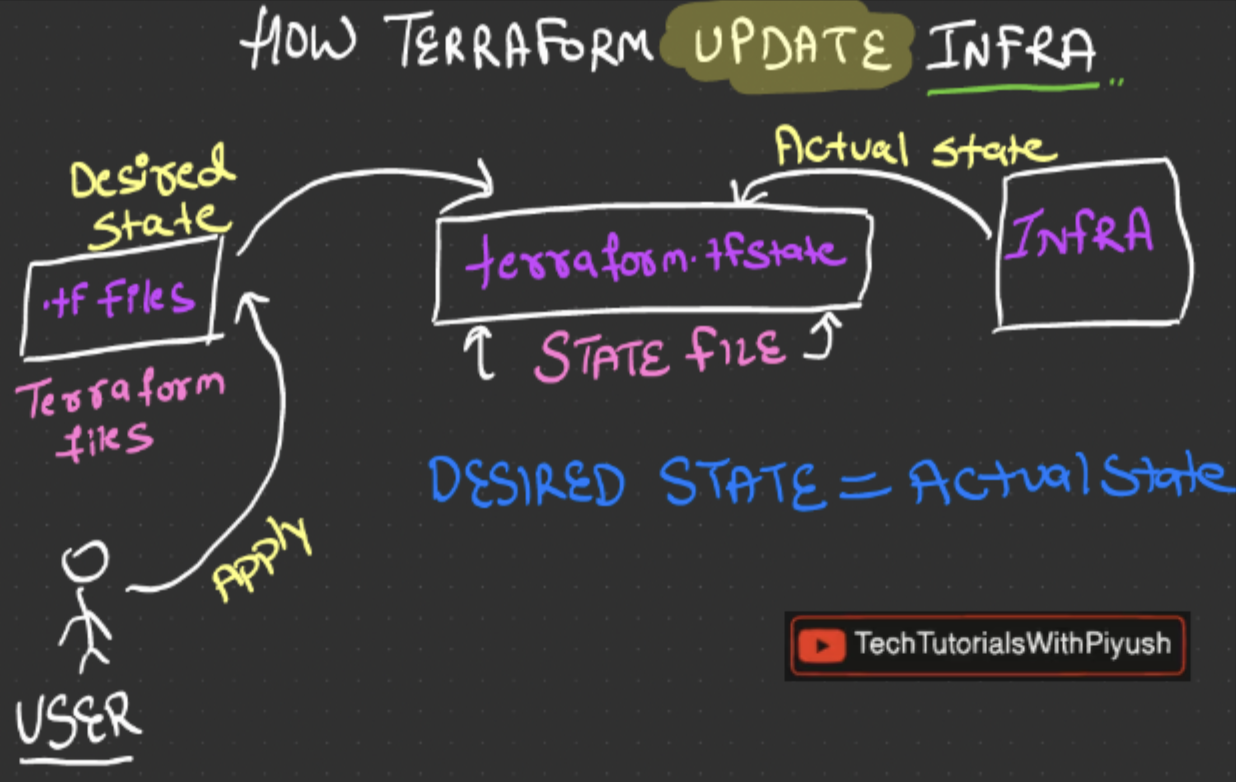
how does terraform know what changes to make?
- it stores the current state of the infra in a file called the
terraform.tfstate - this file contains all the metadata about the resources in the infra
- tf uses this file to directly compare what changes it must do to make
current state = desired state
Note: when we run terraform plan it creates this file and stores in our PC! it is not the best thing to do, and it is always better to store it in a remote backend!
state file best practices
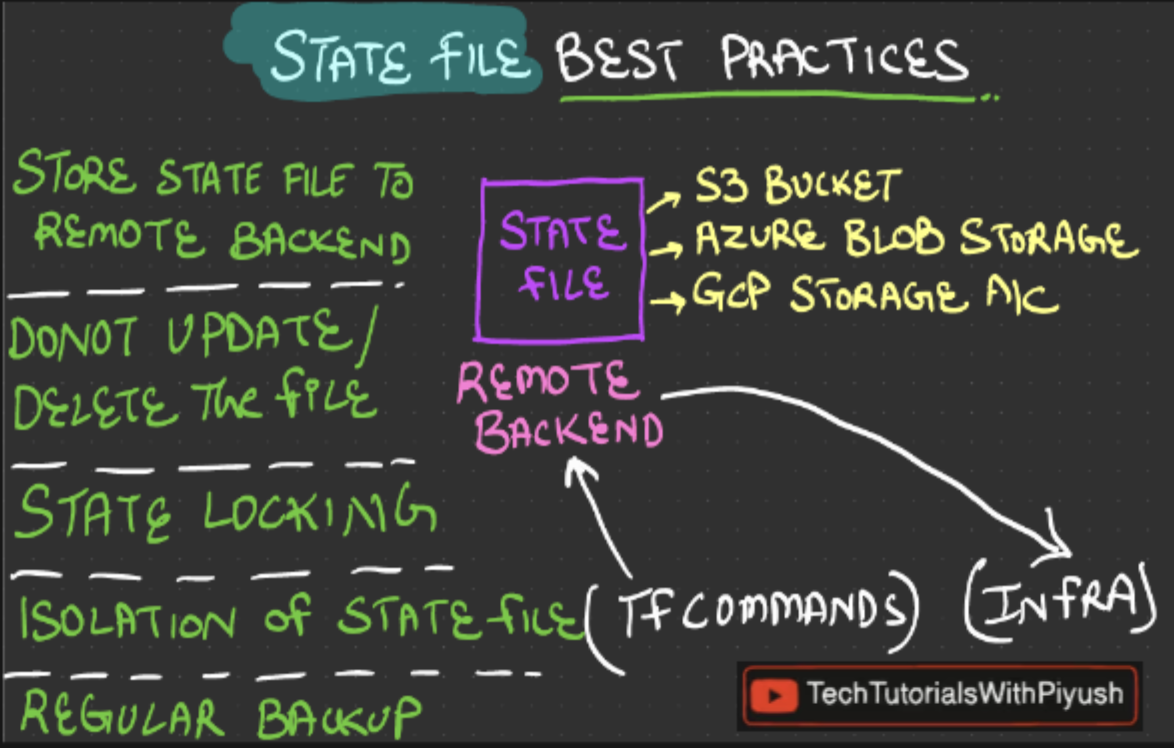
- store state file to a remote backend - it is always the best practice to store state files in a remote backend because it is easier to manager and more secure than storing locally
- never update or delete the state file as it might get corrupted and once the state file is lost, terraform cannot recollect the infra state
- state locking - the state file must be locked as when changes are made simultaneously by multiple users, it can cause conflicts! we must ensure a lock mechanism
- isolation of state file - maintain different state files for different environments
- regular backup - the state file must be regularly backed up which can be used for accidental deletion
how to create the remote backend?
- to create a remote backend we have to create a resource group in azure and a storage account in this resource group with a blob container inside it!
#!/bin/bash

RESOURCE_GROUP_NAME=tfstate-day04
STORAGE_ACCOUNT_NAME=day04$RANDOM
CONTAINER_NAME=tfstate

# Create resource group
az group create --name $RESOURCE_GROUP_NAME --location eastus

# Create storage account
az storage account create --resource-group $RESOURCE_GROUP_NAME --name $STORAGE_ACCOUNT_NAME --sku Standard_LRS --encryption-services blob

# Create blob container
az storage container create --name $CONTAINER_NAME --account-name $STORAGE_ACCOUNT_NAME- once these resources are created in azure we can add our remote backend code in our
main.tffile
terraform {
  required_providers {
    azurerm = {
        source = "hashicorp/azurerm"
        version = "~> 4.8.0"
    }
  }
  backend "azurerm" {
    resource_group_name  = "tfstate-day04"  // Can be passed via `-backend-config=`"resource_group_name=<resource group name>"` in the `init` command.
    storage_account_name = "day0417691" // Can be passed via `-backend-config=`"storage_account_name=<storage account name>"` in the `init` command.
    container_name       = "tfstate" // Can be passed via `-backend-config=`"container_name=<container name>"` in the `init` command.
    key                  = "dev.terraform.tfstate" // Can be passed via `-backend-config=`"key=<blob key name>"` in the `init` command.
  }
  required_version = ">=1.9.0"
}

provider "azurerm" {
    features {

    }

}

resource "azurerm_resource_group" "example" {
  name     = "example-resources"
  location = "West Europe"
}

resource "azurerm_storage_account" "example" {

  name                     = "techtutorial101"
  resource_group_name      = azurerm_resource_group.example.name
  location                 = azurerm_resource_group.example.location // implicit dependency
  account_tier             = "Standard"
  account_replication_type = "LRS"

  tags = {
    environment = "staging"
  }
}- once the remote backend is included in the
main.tfjust runterraform initand the remote backend will be created in azure and runningterraform planwill generate the state lock file inside the azure storage container!
Note: when running tf init, the terraform.tfstate file gets created in azure blob storage but the
.terraform.lock.hclfile gets created locally
Links:
202604162222